

Smart Cylindrical Large Plate Keypad
ISC-PLK
The smart upgrade for existing large-format standalone digital locks


Functions For Every Situation
Configure Entry, Privacy, Classroom, or Office function to match the needs of each application.


Retrofits Common Digital Locks
Full plate escutcheon with seven finish options that retrofits common standalone digital cypher locks. Inner trim has a toggle button and indicator light used for various programmable functions.

Remote Access
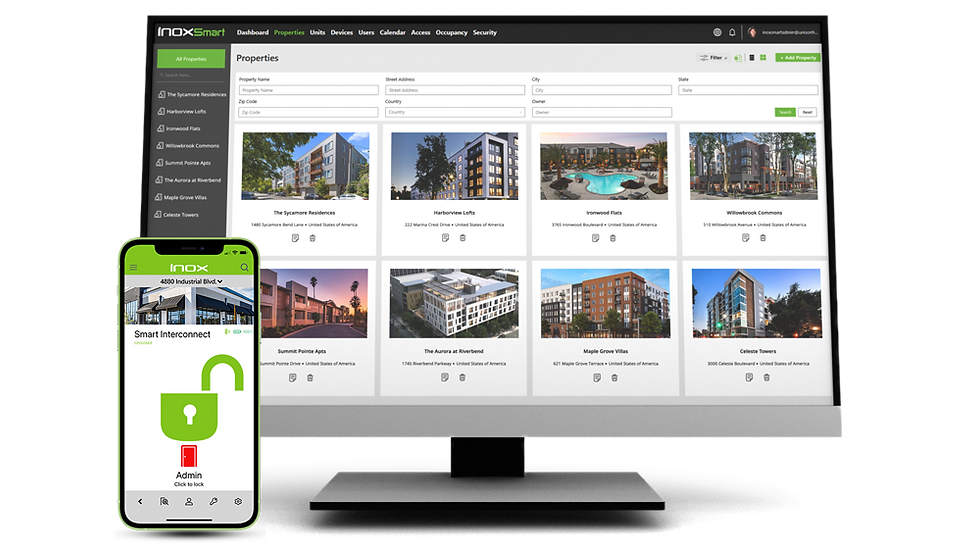
The free and powerful INOX Smart App offers cloud-based monitoring and advanced management features when paired with a Wi-Fi gateway.


Authorized Entry
Access credentials include RFID, passcodes, and mobile access with the INOX Smart App.


No hole drilling or glass cutting required
Powered by one 7.4V lithium battery with a spare and charger included
Field reversable deadbolt handing
Communicates in near proximity with Bluetooth Low Energy and remotely through a Wi-Fi gateway
Binocular 3D face recognition at 12” to 23“ distance
Fully integrated with the INOX Smart App
RFID e-Keys Reader
Doorbell
Semiconductor fingerprint sensors and keypad
Electronic key override

Optional Door Monitoring

Scheduled Access

RFID Cards & Fobs

Passcodes

Mobile Credentials
Smart Cylindrical Large Plate Keypad
ISC-PLK
The INOX Smart Cylindrical Lock with Indicator (ISC-PLK) offers a simple retrofit solution for upgrading existing standalone digital push-button locks without modifying the door. Designed to replace common mechanical keypad locks including Simplex and Trilogy models, its larger-format trim aligns with existing door preparation to reduce installation time, labor, and overall retrofit costs.
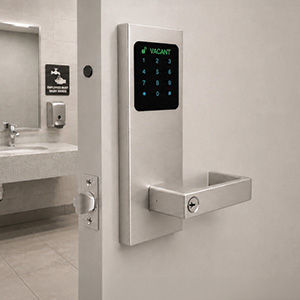
The ISC-PLK supports multiple programmable functions—including Entry, Privacy, Classroom, and Office—allowing one lock to adapt to a variety of commercial, educational, and institutional applications. In Privacy function, the lock can provide a clear Vacant/Occupied indication, making it especially well suited for commercial restrooms and other shared spaces where privacy status must be immediately visible.

Retrofits in Minutes
Reduced door preparaation

Flexible Functions for Every Opening
Configure functions to match the needs of each application.

Entry (Default)
-
Authorized credentials lock/unlock outside access
-
Auto-Lock after door closes
-
Temporary LED indicator shows lock status
-
Inside lever always allows emergency egress
Privacy
-
Inside toggle button locks/unlocks outside access
-
Optional Auto-Lock: enabled or disabled
-
Temporary Vacant / Occupied LED indicator shows lock status (Battery Power Supply Mode)
-
Continuous Vacant / Occupied LED indicator shows lock status (External Power Supply Mode)
-
Authorized credentials unlock outside for emergency access
-
Inside lever always allows emergency egress

Classroom
-
Lock/unlock the outside using the mobile App
-
Authorized credentials unlock outside
-
Door remains unlocked until manually locked
-
Inside lever always allows emergency egress

Office
-
Authorized credentials unlock outside
-
Touch-to-Lock secures the door from the outside
-
Inside toggle button locks/unlocks outside access
-
Inside lever always allows emergency egress
Vacant / Occupied Indicator
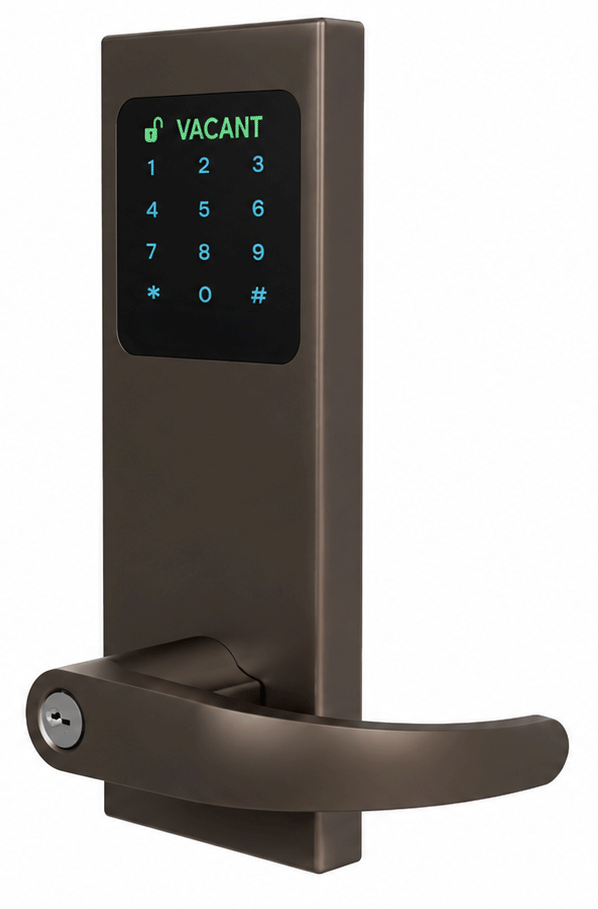
When the ISC-PLK is set to Privacy Function, the keypad displays a Vacant/Occupied indicator for commercial and retail restroom applications. With the hardwired option, the status remains continuously illuminated. With battery power, the Vacant/Occupied status appears temporarily when the keypad screen is activated, helping conserve battery life.


Features & Benefits of the INOX Smart System

Multi-Credential:
-
Facial Recognition
-
Fingerprint Recognition
-
RFID Fobs & Cards
-
Passcodes
-
Mobile App Access

Communicates by:
-
Bluetooth
-
RFID
-
Wi-Fi Gateway
-
POE Gateway

Key Features:
-
Retrofit Existing Locks
-
Multiple Functions
-
Scheduled Access
-
Door Position Sensor (optional)
-
Two Power Modes:
-
4 AA batteries
-
External power supply
-

Integrates seamlessly with the INOX Smart App.
Manage your entire property portfolio from anywhere!
Available in 3 Custom Levers

734 Kobe

744 Halo

749 Archer
Offered in 7 Elegant Finishes

26D Satin Chrome

19G Graphite Black

C19G CeraMax
Graphite Black

C19 CeraMax
Flat Black

CBB CeraMax
Burnt Bronze

CDB CeraMax
Dark Bronze

CGY CeraMax
Stormy Grey
